Deadlock pages use FOV for two different ideas. Camera FOV changes how wide the game view feels. Aimbot FOV describes the area in which a targeting feature may consider an enemy. The shared label is the trap: the two values are not interchangeable.
Quick answer: camera FOV is about the player’s view; aimbot FOV is about target selection. A wider camera view does not automatically make an aim feature search a wider area, and an aim-selection value does not change the camera.
Use a doorway example
Imagine an enemy enters from the edge of your screen. A camera field-of-view change can make more of the scene visible at once. It changes the picture you see.
Now imagine the same picture with an aimbot feature deciding which target falls inside its selection area. That is a different question: which enemy is eligible for the feature’s aim action? The screen can look identical while the targeting rule changes.
This distinction matters when a listing says “FOV 30” or “FOV changer” without saying which system it means. A number without context is barely a specification.
What feature pages usually mean by each label
The Cluster page describes its FOV Changer as adjusting the supported field-of-view value for a wider or narrower view of the battlefield. That wording is about the camera view.
Elsewhere in the Deadlock cheat vocabulary, FOV appears beside aim assistance, smoothing and target selection. In that context, the reader should ask whether FOV limits which target is considered, rather than assuming it changes the game camera. The same three letters can sit beside two different controls.
When reading a page, look for the noun around FOV:
- camera / view / battlefield: likely the visible game frame;
- aim / target / lock-on: likely the selection area for an aim feature;
- zoom: may connect the control to a scoped or ability view and needs its own explanation.
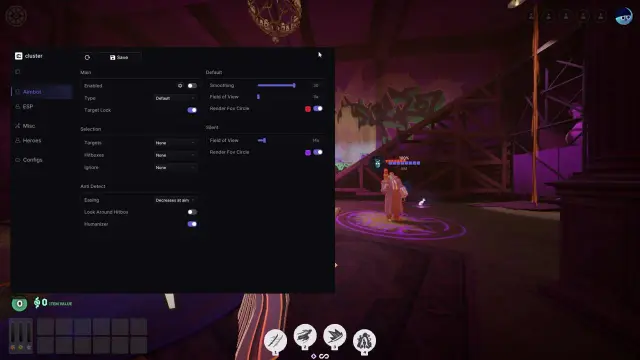
Sponsored option — Cluster for Deadlock: The live Cluster Deadlock page lists a configurable aimbot, ESP, Hero Combos, Auto Parry, Souls Aimbot, FOV Changer and Dodger. It shows plan choices and Windows 10/11 requirements. This is a commercial mention; the feature descriptions are vendor claims, not an independent test.
A clean checklist for FOV claims
Ask four questions before comparing products:
- What does the FOV affect: the camera, aim selection or both?
- Which target is named: enemy heroes, souls or another object?
- Is the value global or tied to a mode, zoom state or feature?
- Does the page state any limitation, or is the number shown without context?
Do not compare “FOV 20” on one page with “FOV 20” on another until those questions have matching answers. The number may describe a different coordinate system or a different action entirely.
For more feature language, visit the Deadlock guides archive. Keep the final scope tied to the exact product description you are reading.
Related reading: the Deadlock aimbot guides, Cluster vs Predator and hero-script terminology.
FAQ
What is Deadlock aimbot FOV?
Deadlock aimbot FOV usually refers to the area used when an aim feature considers targets. Confirm the meaning in the product’s own description.
Is camera FOV the same as aim FOV?
No. Camera FOV changes the visible game frame. Aim FOV concerns target selection for an aim feature.
Does a FOV changer improve aim?
Not by definition. A camera FOV changer changes the view; it does not automatically add aim assistance.
Why do two pages show the same FOV number?
They may be describing different controls. Read the nearby nouns and verbs before comparing values.
Should a feature page explain FOV context?
Yes. It should say whether FOV affects the camera, target selection, zoom or a specific feature.